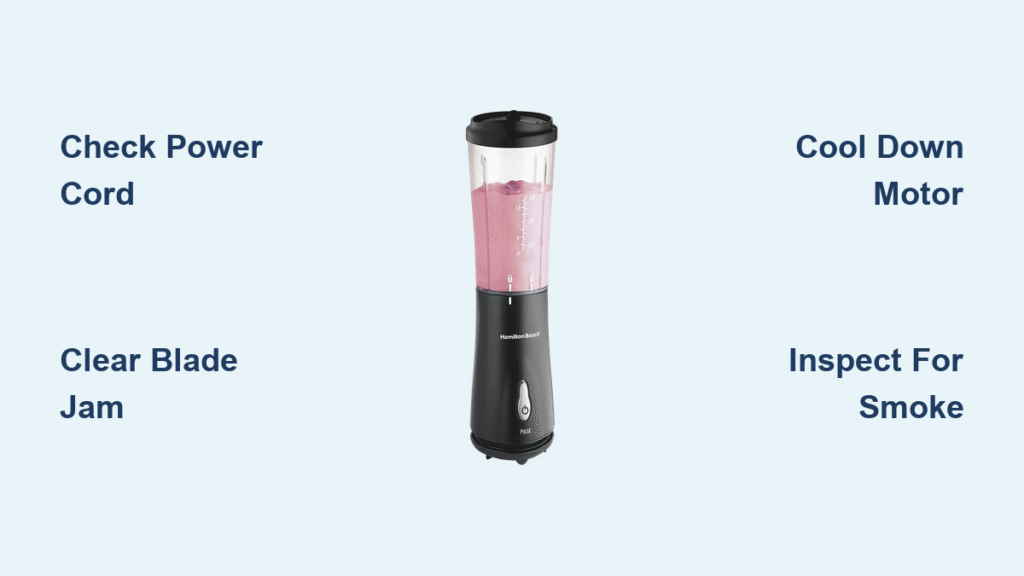
Your Hamilton Beach blender suddenly dies mid-smoothie, leaving frozen berries untouched and your morning routine in chaos. When your 51101BA single-serve blender won’t power on, spews smoke, or fails to crush ice properly, these failures follow predictable patterns. Most users face one of four critical issues: complete power loss, spinning blade failures, dangerous smoking, or incomplete blending. This guide delivers exact troubleshooting steps to diagnose and fix your Hamilton Beach blender not working within minutes—no technician required. You’ll learn to identify electrical faults, clear blade jams, and prevent future breakdowns using only household tools.
Power Failure Symptoms
No Response When Pressed
Your Hamilton Beach blender stays completely silent when you hit the power button—no lights, no motor hum. Start by verifying your electrical supply isn’t the culprit. Plug a phone charger or lamp into the same outlet; if it works, the problem lies with your blender. Next, unplug the power cord completely and reinsert it firmly into both the outlet and blender base. Many Hamilton Beach blender not working cases stem from loose connections that appear seated but lack proper contact. Wiggle the cord gently while plugged in—if the unit flickers, replace the cord immediately using the manufacturer’s part number for your 51101BA model.
Power Button Feels Wrong
A faulty power button often feels mushy, sticks when pressed, or requires excessive force. Test it by rapidly pressing 10-15 times: a healthy button springs back instantly with consistent resistance. If it sticks or feels loose, internal wiring has likely failed. Never disassemble while plugged in—unplug first, then remove the base screws to access the switch mechanism. Check for food debris jamming the button or disconnected wires. Reconnect any loose terminals with needle-nose pliers, but replace the entire switch if contacts are burnt.
Motor Thermal Shutdown
If your blender stops mid-blend and won’t restart, thermal overload protection has engaged. Carefully touch the motor housing—intense heat or a burning smell confirms overheating. This safety feature triggers after extended heavy use (like crushing ice) or blocked cooling vents. Let the unit cool completely for 30-45 minutes before retesting. To prevent recurrence, avoid blending frozen ingredients for more than 30-second intervals and never cover the motor vents during operation.
Blade Spinning Issues
Motor Runs But Blades Stay Still
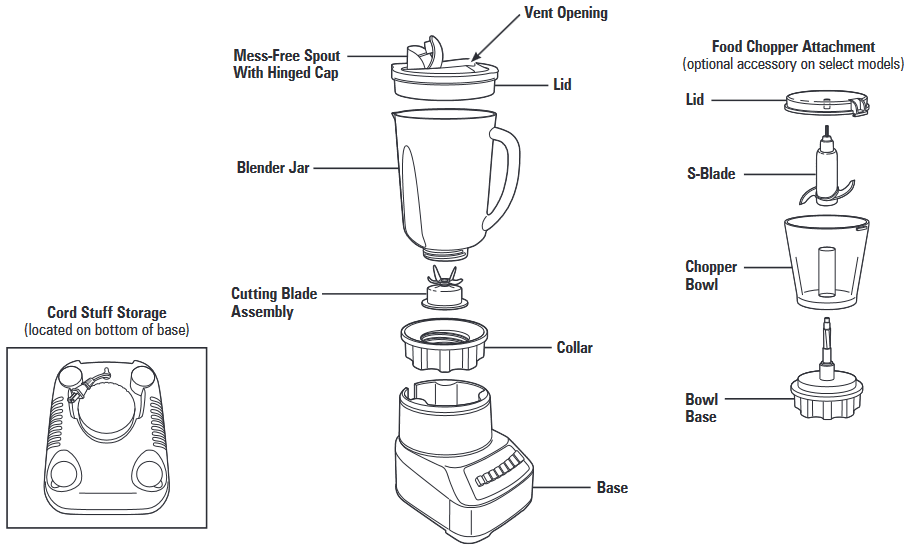
You hear the motor whirring, but ingredients remain stubbornly chunky. Unplug immediately and inspect the blade assembly for obstructions. Frozen fruit pieces or ice chunks often wedge between blades, stopping rotation while the motor runs. Never insert fingers—use a spoon handle to dislodge debris from the blade edges. If clear, check the blade-to-motor coupling: remove the container and spin the drive stud by hand. If it doesn’t rotate freely, food particles have jammed the internal shaft. Rinse the assembly under warm water while twisting the blade counterclockwise to flush out residue.
Intermittent Operation
When your blender starts and stops unpredictably, test for cord faults. With the unit running on low speed, gently wiggle the power cord near both ends. If operation cuts out, frayed wires inside the cord are causing intermittent contact. Replace the cord using Hamilton Beach’s official replacement part—generic cords often lack proper voltage regulation. For models with removable cords, ensure the connector clicks fully into the base socket; a half-seated plug mimics electrical failure.
Smoking Hazards
Immediate Response Protocol
Smoke means unplug instantly—do not attempt restarts. After cooling for 20 minutes, inspect the container for tightly packed ingredients that stalled the blades. Overheated motors from excessive strain often produce burnt smells. Remove all food remnants with a non-metal utensil, then check the power cord for melted sections or exposed copper wires. Any visible damage requires cord replacement. If smoking persists after clearing obstructions, stop—internal wiring faults demand professional repair.
Motor Fan Failure
A silent motor housing during operation signals fan failure. Normally, you’ll hear a consistent cooling fan whir alongside the motor. When this fails, heat builds rapidly causing smoking. Disassemble the base (unplugged!) and locate the fan blade on the motor shaft. If obstructed by dust or debris, clean with compressed air. If the fan is broken or the shaft won’t spin freely, replace the entire motor assembly—attempting fan-only repairs risks further damage.
Incomplete Blending Problems
Large Chunks Remain
Unprocessed fruit pieces after full blending cycles indicate blade issues. Unplug and visually inspect the edges: dull, rounded, or bent blades can’t pulverize frozen ingredients. Never run fingers along blades—hold the assembly up to light to spot chips or deformities. Wedged food particles also create “dead zones” where ingredients escape processing. Soak the blade assembly in warm soapy water for 10 minutes, then use an old toothbrush to scrub between edges. For permanently damaged blades, order Hamilton Beach’s specific replacement kit for your 51101BA model.
Leaking During Operation
Liquid escaping from the container base usually means container cracks or seal failure. Hold the jar up to light to spot hairline fractures near stress points (like the blade mount). If intact, test the lid seal by pressing around its perimeter—gaps indicate improper seating. Ensure the drinking hole cover is fully closed before blending. For minor leaks, replace the silicone gasket; for cracked containers, get an OEM replacement jar since third-party parts often leak.
Diagnostic Decision Tree

Step 1: Power Flow Test
- Confirm outlet works with another device
- Re-seat power cord at both ends firmly
- Inspect cord for cuts/burns along entire length
- Wait 30 minutes if thermal overload suspected
Step 2: Mechanical Assessment
- Unplug and remove container
- Clear blade obstructions with non-metal tools
- Check blade sharpness visually (no touch!)
- Examine container for cracks under light
Step 3: Component Replacement
Order these exact parts based on findings:
– Power cord: Hamilton Beach part #31060 for 51101BA
– Blade assembly: Model-specific stainless steel set
– Motor unit: Full assembly for smoking/overheating
– Container: BPA-free replacement jar with lid
Prevent Future Failures
Daily Maintenance
Rinse the blade assembly immediately after use to prevent dried-on residue. Never exceed the “MAX” fill line—overfilling strains motors. Allow 60-second cooldowns between 30-second blending cycles when processing frozen items.
Weekly Care
Soak the blade assembly in warm soapy water for 5 minutes weekly. Inspect cord ends for fraying at connection points. Clean lid seals with a damp cloth to remove food buildup that compromises sealing.
Monthly Inspection
Test blade sharpness by blending soft fruit—if chunks remain, replace blades. Check container bases for stress cracks using backlighting. Verify power button responsiveness by pressing 10 times rapidly.
When to Replace vs Repair
Replace immediately if:
– Smoke returns after clearing obstructions
– Power cord shows exposed copper wires
– Container cracks cause persistent leaks
Repair successfully:
– Loose cord connections (5-minute fix)
– Dull or obstructed blades (15-minute clean)
– Worn lid seals (replace gasket for $8)
Professional service needed:
– Internal wiring burns/smell
– Motor replacement beyond DIY comfort
– Units under active warranty
Your Hamilton Beach 51101BA typically delivers 5-7 years of service with proper care. Most Hamilton Beach blender not working emergencies stem from preventable issues like food jams or cord damage—not catastrophic failures. By following this diagnostic flow, you’ll restore smoothie-making capability faster than waiting for replacement parts. Remember: 90% of power failures resolve with cord reseating or thermal cooldowns, while blade issues usually clear with safe obstruction removal. Keep this guide handy for your next blending emergency—your morning routine depends on it.