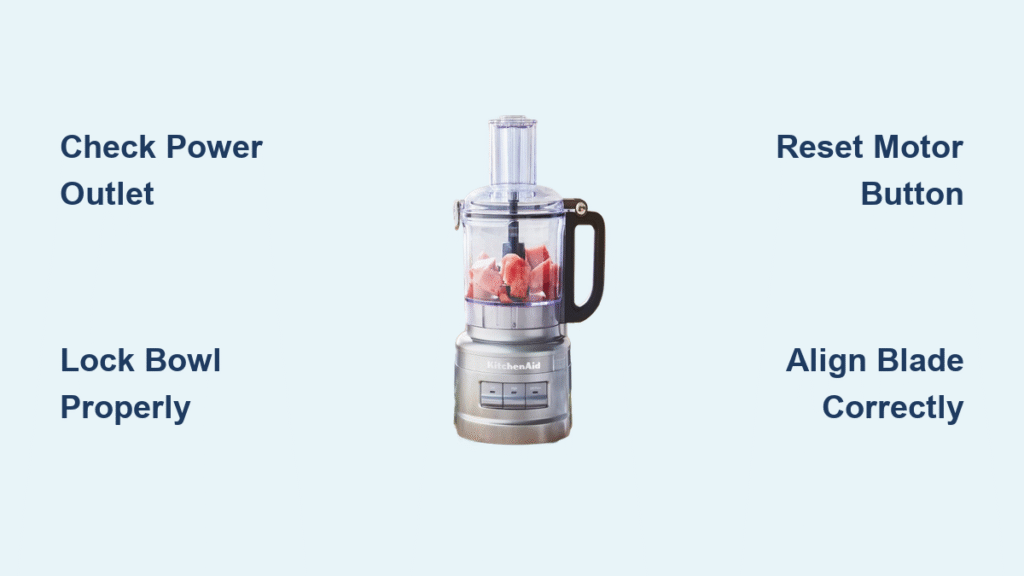
Your KitchenAid food processor sits idle on the countertop when it should be dicing onions for tonight’s dinner. The power button won’t respond, the blades remain motionless, and your meal prep has screeched to a halt. When your KitchenAid food processor not working issue strikes, 80% of the time it’s not a catastrophic failure but a simple safety feature or minor glitch you can fix in minutes without professional help.
Before you waste money on replacement parts or consider tossing your reliable kitchen companion, understand that most startup failures stem from preventable issues like improper assembly or power interruptions. This guide delivers specific, model-tested solutions for KitchenAid food processors that refuse to start, helping you diagnose problems quickly and get back to efficient meal preparation.
Power Source Failures That Mimic Motor Problems
Why Your KitchenAid Processor Won’t Start Despite Plugging In
Dead outlets account for nearly one-third of reported “broken” KitchenAid food processors. Unplug your unit and test the outlet with another appliance like a phone charger or coffee maker. If that device doesn’t work, check your home’s electrical panel for a tripped circuit breaker or GFCI outlet that needs resetting—these safety devices often control multiple kitchen outlets.
Pro Tip: Test outlets at different times of day. Some circuits overload when multiple appliances run simultaneously, causing intermittent failures that seem random.
Damaged Power Cords That Cut Off Electricity Flow
Run your fingers along the entire cord length, feeling for kinks, cuts, or exposed wires. Even minor damage near the plug connection can interrupt power flow. Pay special attention to the cord’s entry point at the motor base, where repeated bending causes internal wire breaks that aren’t visible externally.
Warning: Never attempt to repair a damaged cord yourself. KitchenAid recommends replacing the entire cord assembly through authorized service centers to maintain safety certifications.
Loose Electrical Connections That Trigger False Failures
Push the plug firmly into the outlet until fully seated. Modern KitchenAid processors require stable power connections—loose plugs cause intermittent operation that mimics internal failures. Test by gently wiggling the plug while holding the processor’s power button. If the motor sputters or starts briefly, replace the outlet rather than the processor.
Safety Lock Mechanisms Preventing Startup

Bowl Alignment Issues That Stop Motor Activation
Your KitchenAid food processor not working because the bowl isn’t locked properly—this safety feature prevents operation when components aren’t secured. Twist the bowl clockwise until you hear a definitive click, typically when the handle aligns at the 9-o’clock position. Test by lifting the bowl slightly; it shouldn’t budge when correctly locked.
Visual Cue: Look for alignment marks on the bowl and base. Most models feature matching triangles or arrows that must line up precisely for the safety switch to engage.
Lid Lock Failures That Block Power Transmission
The lid must click securely into place before the motor activates. Press down firmly on the lid’s center while turning it clockwise until you feel resistance followed by an audible click. Some models require the feed tube to align with the bowl handle—check your manual for model-specific positioning requirements.
Common Mistake: Food particles trapped in the lid’s locking groove prevent proper closure. Clean this area thoroughly with a soft brush before attempting reassembly.
Pusher Insertion Errors That Trigger Safety Circuits
The food pusher must be fully inserted into the feed tube for operation. Push down until the pusher’s base sits flush with the lid’s surface. Partial insertion activates safety circuits that prevent motor startup, a frequent culprit when your KitchenAid food processor not working after cleaning.
Motor Overload Protection Activation

Recognizing Thermal Shutdown Symptoms
Extended processing of dense foods like nut butter or bread dough triggers thermal protection circuits. Signs include sudden shutdown mid-operation, hot motor housing, or complete failure to restart after heavy use. Unlike electrical failures, these issues resolve after cooling—typically 30-60 minutes.
Time Saver: While waiting for the motor to cool, disassemble and clean components to maximize productivity during downtime.
Reset Button Location and Proper Activation
Most KitchenAid models feature a red or black reset button on the motor base’s underside. Unplug the processor, turn it upside down, and locate the small circular button. Press firmly with a pen tip until you feel it click inward. This restores normal operation after cooling periods.
Expert Note: If the reset button pops out immediately after pressing, an internal fault exists requiring professional service—don’t keep resetting repeatedly.
Blade and Disc Installation Mistakes
Chopping Blade Alignment That Prevents Motor Engagement
The chopping blade’s central shaft must seat fully into the motor coupling. Remove the blade and inspect for wobbling—if it tilts or moves side-to-side, reposition it by lifting and reseating firmly. Misaligned blades create resistance that triggers safety shutoffs before the motor starts.
Pro Tip: Apply slight downward pressure while twisting the blade clockwise into position. You should feel it “drop” into the coupling when properly seated.
Disc Orientation Errors That Jam the Processing System
Reversible discs must face the correct direction for your task. The slicing side features sharp, angled teeth while the shredding side shows smaller holes. Check for directional arrows stamped on the disc—they should point toward the lid during installation. Incorrect orientation jams the motor instantly.
Electrical Component Failures Requiring Professional Help
When to Contact KitchenAid Direct Support
Call 1-800-422-1230 when basic troubleshooting fails. Have your exact model number ready (found on the base) for immediate assistance. KitchenAid representatives guide through model-specific diagnostics and can schedule in-home service appointments—most issues get resolved within 48 hours of contact.
Time Saver: Check KitchenAid’s website for assembly videos specific to your model before calling. Their 7-cup and 9-cup processor guides resolve many “not working” complaints through proper reassembly.
Identifying Critical Electrical Failures
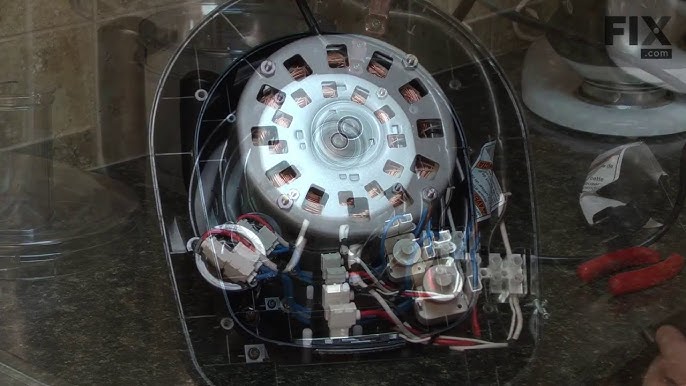
Complete motor silence with confirmed power supply indicates internal failure. Grinding noises, burning smells, or visible sparks require immediate shutdown and professional service—do not continue using the processor. These symptoms suggest damaged motor windings or electrical shorts that create fire hazards.
Preventive Maintenance That Avoids Future Failures
Weekly Cleaning Protocol to Prevent Startup Issues
Disassemble completely after each use. Wash bowl, lid, and blades in warm soapy water. Dry thoroughly to prevent moisture damage to electrical components. Clean the motor base with a damp cloth—never submerge it in water. Pay special attention to the locking mechanism grooves where food particles accumulate.
Pro Tip: Store blades in the work bowl with a paper towel between metal surfaces to prevent corrosion that affects alignment.
Monthly Inspection Routine That Catches Problems Early
Check all locking mechanisms for wear or damage. Test safety switches by attempting startup with components slightly misaligned—you should hear a distinct “no-start” click when safety features engage properly. Replace worn gaskets or cracked parts immediately to maintain safety features.
Emergency Workarounds While Troubleshooting
Manual Alternatives for Immediate Meal Preparation
While diagnosing your KitchenAid food processor not working issue, use a sharp chef’s knife for chopping and a box grater for shredding. These methods work for small quantities but increase prep time significantly—reserve them for urgent meal needs only.
Time-Saving Shortcut: For small jobs, use a hand-cranked mandoline slicer instead of waiting for processor repairs.
Temporary Solutions for Stuck Motor Components
If the motor hums but won’t engage blades, try pulse mode repeatedly with short bursts. This sometimes overcomes minor jams in the drive system. Stop immediately if you smell burning or see sparks—continuing could cause permanent damage.
Your KitchenAid food processor not working problem likely has a simple solution—most startup failures trace back to safety mechanisms doing their job. Start with the quick checks: power source verification, assembly lock confirmation, and motor reset. These three areas solve 80% of “dead” processor complaints according to KitchenAid’s service data. When basic troubleshooting fails, their support team stands ready to guide you through model-specific solutions or schedule professional repairs. Regular maintenance prevents most issues, keeping your processor ready for years of reliable service. For immediate assistance, visit KitchenAid’s website to book a repair appointment with your preferred date and time—most customers receive same-week service with email confirmation upon scheduling.